
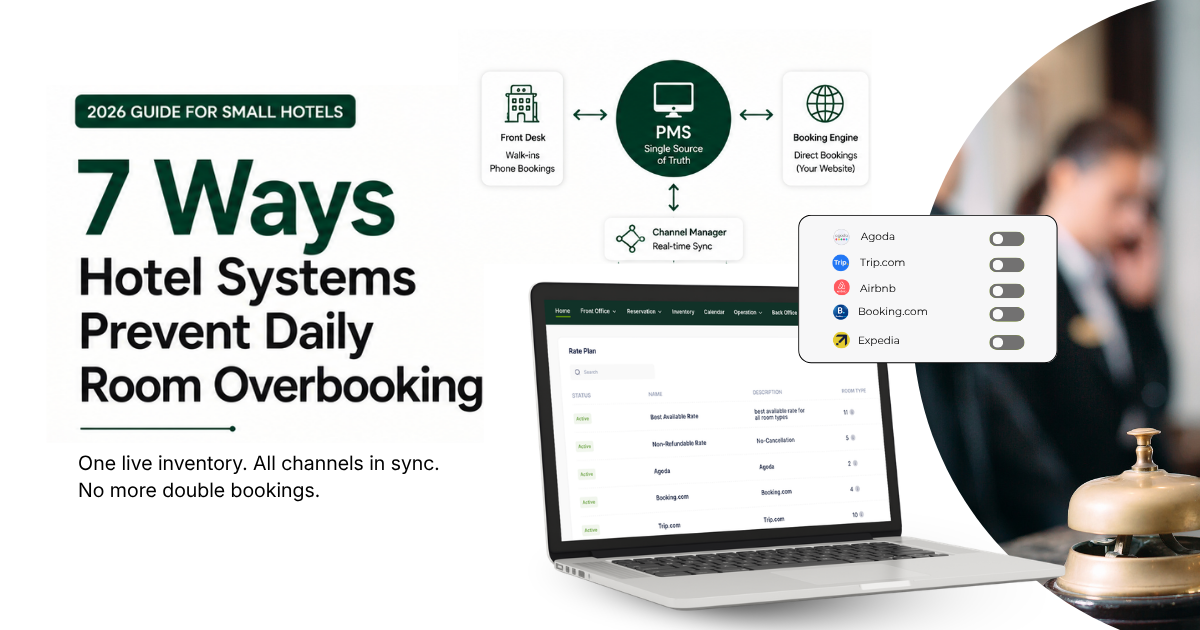
Quick answer: Hotel systems prevent daily overbooking by keeping one live room count that every booking channel reads from. Here, "hotel systems" means a PMS connected to a channel manager and a booking engine. The PMS is the hub; it holds the live room count, the channel manager keeps every OTA in step with it, and the booking engine handles your direct bookings. The channel manager and booking engine connect to the PMS. Keep that picture in mind, because most small hotels never overbook on purpose. It happens by accident, and it almost always traces back to one thing: the room count in one place does not match the room count in another. Here are seven practical ways your hotel systems work together.
What causes daily overbooking in small hotels?
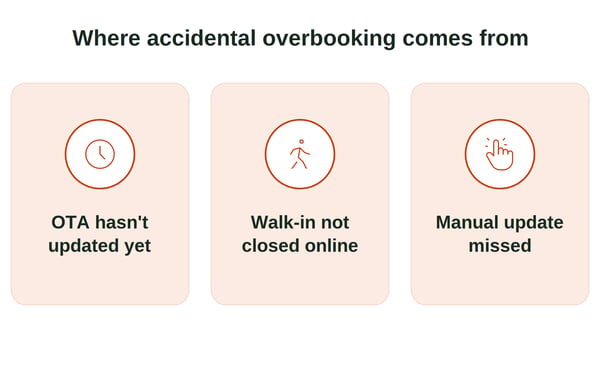
Accidental overbooking comes from a gap between systems. The most common cause is availability failing to update on some channels in time, so bookings keep arriving after the hotel is already full.
That gap shows up in ordinary, everyday ways:
- A guest books your last room on Booking.com, but Agoda has not caught up yet.- A walk-in takes a room, but nobody closes it online. Walk-ins are often a bigger source of overbooking than any single OTA because they skip the digital sync completely.
- Staff updates each channel by hand at the end of a shift, and one gets missed.
7 ways hotel systems work together to prevent daily overbooking
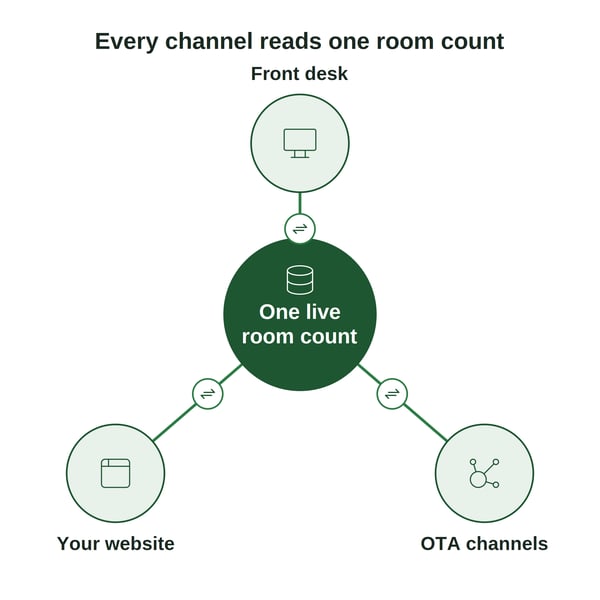
1. It keeps one live room count as the single source of truth
This job belongs to the PMS. Instead of a spreadsheet, a whiteboard, and three OTA logins, the PMS holds one number for each room type. Every booking reads from and writes to that same number. When the count reaches zero, the room stops selling, everywhere. This single habit removes most daily errors on its own.
2. It syncs every OTA the moment a room sells
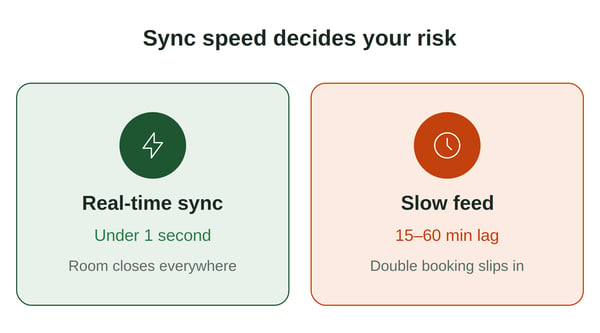
A channel manager is the piece that talks to the OTAs. It is a separate product that connects to your PMS. Once connected, the moment a room sells on one channel, it closes on all the others.
Speed matters here. Real-time connections update near-instantly, while slower or manual feeds can lag by many minutes, and that lag is exactly where a double booking slips through. Channel Manager updates inventory across every connected platform in real time and auto-creates the reservation in the PMS, and it connects to 100+ OTAs so you can list widely without babysitting each one.
Read more: 8 OTA Integration Facts for Cloud Hotel PMS
Bad room mapping is a quiet cause of oversells. If a room type is matched wrongly across channels, even a good channel manager can oversell it.
Free resource: Download the free PMS and OTA Room Mapping Excel Template →
3. It closes rooms instantly on direct bookings
Your own website should never be the channel that causes an overbooking.
A booking engine connected to your PMS deducts the room the second a guest pays, then pushes that update out through the channel manager. No manual step, no waiting.
I believe direct bookings are worth protecting most of all, because they are commission-free.
Losing one to a sync error means losing your cheapest, most profitable revenue.
4. It captures walk-ins and phone bookings in the same place
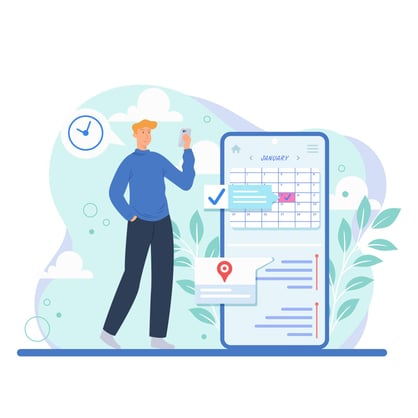
Offline bookings are the ones that catch small hotels out. When a walk-in or a phone reservation is entered into the same system your front desk already uses, that room is deducted from the shared count at once, and the channel manager closes it online. Nothing lives in a paper diary waiting to be typed in later.
This matters even if you barely use OTAs. Across Softinn's own customers, around 44% run with little to no OTA reliance, yet they still need one accurate view so direct bookings and walk-ins never clash.
5. It ends manual re-entry across channels
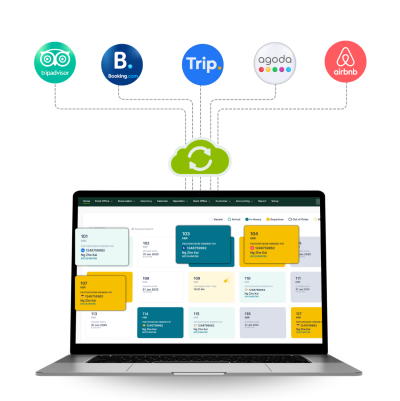
Logging into each OTA extranet to adjust availability by hand is slow and easy to get wrong.
Manual updates create risk at any booking volume, not just for busy hotels.
A connected system updates every channel from one screen, so there is no last channel that someone forgets.
6. It gives you stop-sell and allotment controls
Sometimes you want to hold rooms back on purpose: for a repeat guest, a maintenance day, or a big local event.
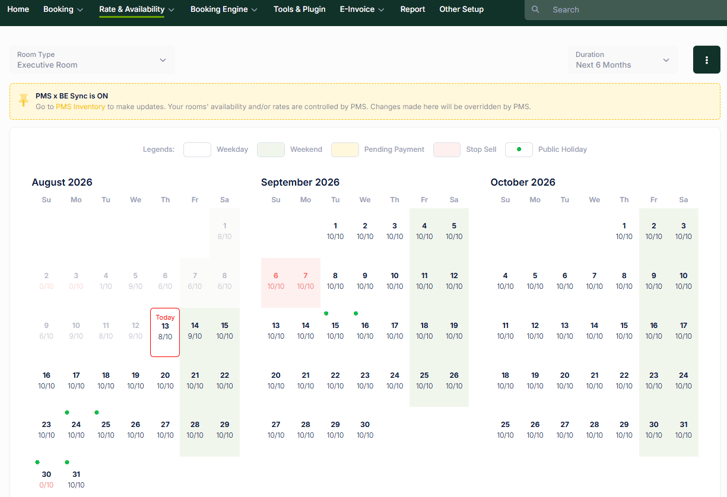
Your connected systems let you set a stop-sell (stop a room type selling) or cap the rooms released to each channel (an allotment).
You stay in control of your inventory instead of hoping the numbers behave.
7. It shows one calendar and keeps an audit trail
One calendar view tells you exactly what is sold, from where, and when. A clear booking history also gives you an audit trail, which is what you need if you ever have to dispute an OTA penalty after a genuine sync issue. Problems become easy to spot before a guest ever notices.
Where I stand
I believe overbooking is a sync problem, not a staff problem. Blaming the front desk for a missed update misses the real fix.
When every channel reads from one live count, the mistake simply cannot happen.
The proof shows up in how hotels actually set up. Across Softinn's own customers, roughly half (about 50%) connect their PMS directly to a channel manager, because the two working together is what closes the sync gap for good. A tool that only manages OTAs, with no PMS behind it, still leaves your front desk and your walk-ins out of the loop.
Read also: PMS and Channel Manager Integration
FAQ
-
Can hotel systems stop overbooking completely?
-
Together, they remove the accidental kind, by keeping one shared, real-time room count. Deliberate overbooking to cover no-shows is a separate revenue strategy you choose on purpose.
-
-
Does a small hotel really need a channel manager?
-
If you sell on more than one channel, yes. Manual coordination breaks down quickly once you are selling across several channels, because two of them can take a booking at the same moment.
-
-
What is the difference between accidental and deliberate overbooking?
-
Accidental overbooking comes from unsynced systems or manual errors. Deliberate overbooking is a planned oversell to offset cancellations and no-shows, which range from about 5 to 15% depending on season and location.
-
-
How fast should my channels sync?
-
As close to instant as possible. The risk window is the gap between a room selling on one channel and closing on the rest; a real-time connection shrinks that window to seconds, which is usually the difference between one booking and two.
-


Tai Pei Shi
Hi, I am Pei Shi. I am a Technopreneurship student and digital marketing intern in Softinn.
Comments
Recent Posts
7 Ways Hotel Systems Prevent Daily Room Overbooking
How to Spot Front Desk Delays Before PMS Adoption
9 Hotel Tasks a Management System Can Automate
10 Booking Engine Facts for Hotels in 2026
Cloud Hotel System ROI for Small Hotels in 2026